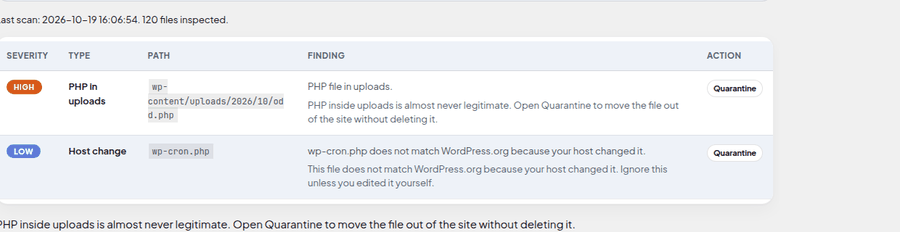
Scan result
The plugin Scanner lists each finding with a path and a next step. This crop is a real scan, not sample metrics.

Features
Crops from the real UI, then six plain-language protections. No invented metrics.
On the site
Crops from the WordPress plugin and this Hub. No invented counters.
The plugin Scanner lists each finding with a path and a next step. This crop is a real scan, not sample metrics.
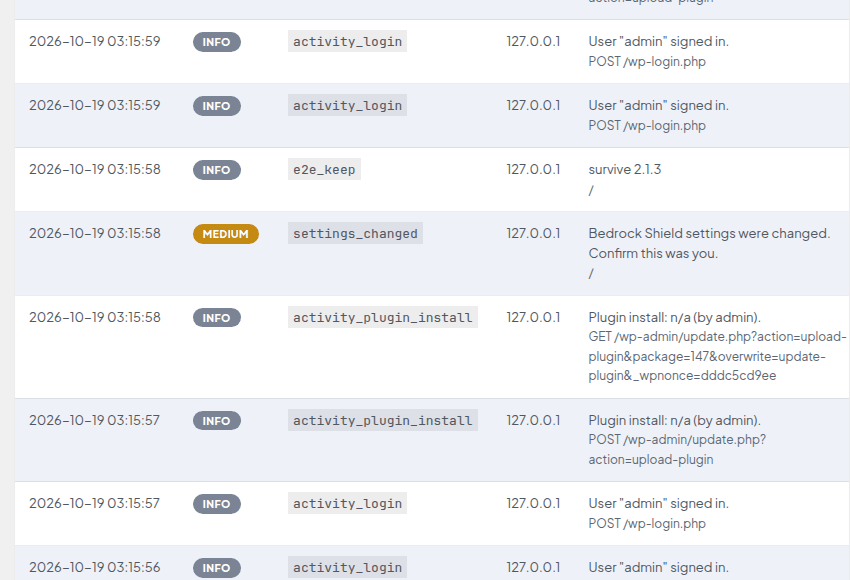
Logs records blocked requests and other events after they happen. Rows stay empty until something is logged.

Settings starts on Balanced. Strict and Relaxed are named presets. Save applies the level you pick.
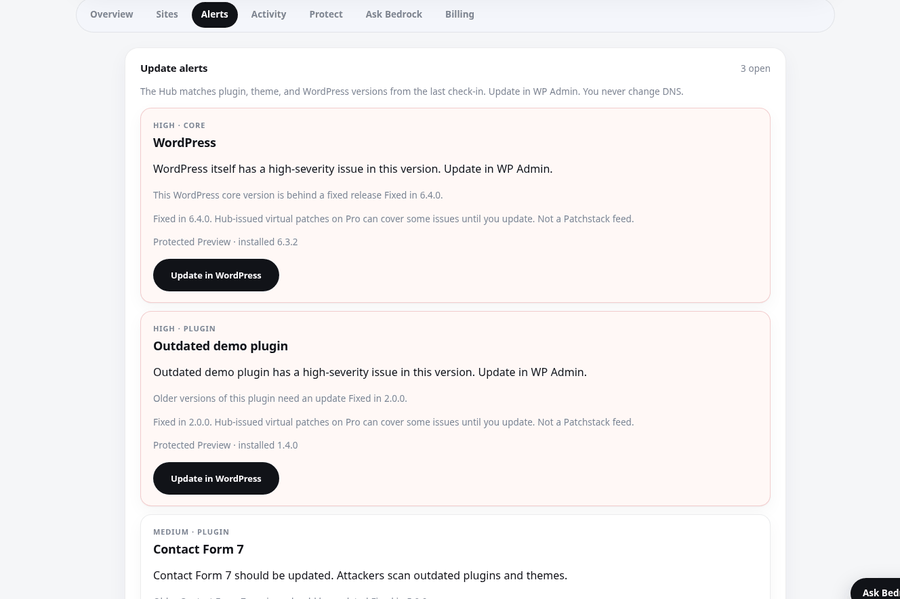
The Hub Alerts view lists outdated plugins, themes, and WordPress from the last check-in. Update in WP-Admin.
What it covers
Plain language. One sentence each. No live attack counter.
Protects against guessed passwords hitting wp-login until a lockout fires.
Protects against ugly query strings, known-bad paths, and xmlrpc hammering on the site.
Protects against hostile PHP in uploads and core, plugin, or theme files that drifted.
Protects against a known hole until you update, using Hub-signed rules on Pro.
Protects against running an outdated plugin, theme, or WordPress version after check-in.
Protects against a stolen password after you enroll TOTP on your Profile.
How it works
Three steps. Then leave Protect on. Install the plugin zip, paste Hub URL and keys once, then watch alerts and fixes. You never change DNS.
Ready
Install, connect once, leave defaults on. Setup never requires a DNS change.
Ask if your site is safe, whether you need this after using AI, or Basic vs Pro. I do not reveal Site keys.